
 Pricing
Some shots are out of reach: the mountain your jacket was made for, the city you’re talking about, the sunrise you slept through. Today, Shorty can find them for you. When your brief calls for a shot your footage doesn’t have, the director searches Pixabay’s free stock videos and photos, picks the one that fits and cuts it into your edit. And when the footage is yours but lives in Dropbox, you can now pick it right from Shorty.
When You Need It
The place you’re talking about
A city, a landmark, a country you didn’t film. Name it in your brief, and the director cuts to it while you talk about it.
B-roll for your story
A talking head needs something to cut away to. Ask for B-roll, and the moments you describe get pictures.
Where your product belongs
Shot it in a studio? Put it in its world: the mountain, the beach, the city at night.
An opener that sets the scene
Start on an aerial coastline, a skyline or a sunrise before your own footage begins.
The shot you missed
Forgot to film the sunset, the coffee pour or the crowd? Fill the gap instead of reshooting.
Just Say It in Your Brief
Write the shots you’re missing in your brief, in your own words: “cut to a snowy mountain ridge,” “add B-roll of the city at night,” “open on the ocean.” When your brief names something your clips can’t show, Shorty’s director finds it on Pixabay’s library of free videos and photos and cuts it in.
There’s nothing to search, download or upload, and no Pixabay account to connect.
It Picks by Looking
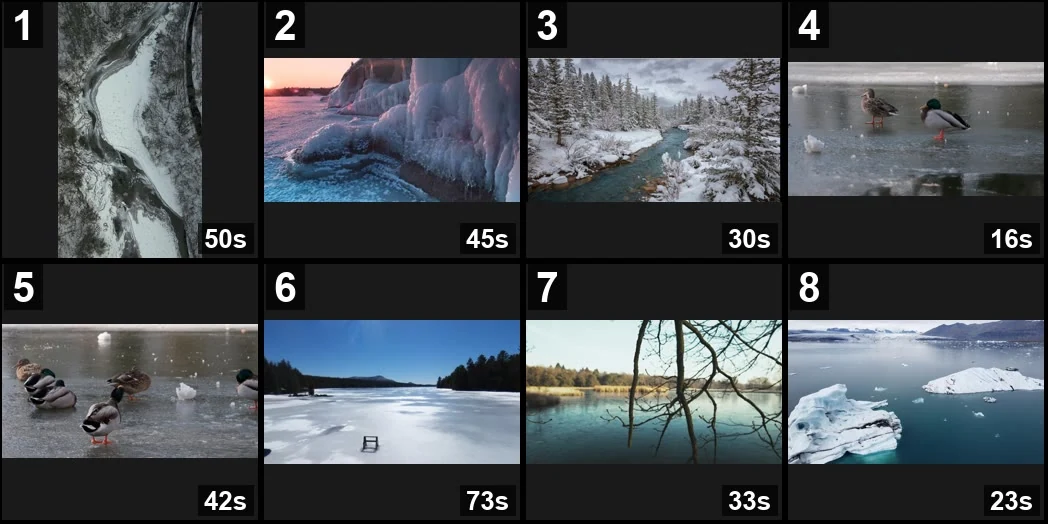
The director doesn’t grab the first result. It looks at a page of options side by side, the way you’d scroll a library, and picks the one that fits the moment. Clips in your edit’s shape come first, so a vertical edit gets vertical shots when they exist.
Made to Fit Your Edit
Before a clip goes in, the director checks it from start to end, not just the thumbnail, so the part it uses fits the moment and shows no stray text, logo or watermark.
Most stock is shot wide. Shorty crops it for your vertical edit around what matters in the frame, and a clip that would look soft full screen gets a smaller role instead.
Stock sound stays off unless your brief asks for it, so your music and your voice stay in charge.
Your Footage Comes First
Stock never stands in for your footage. The director uses your clips wherever they cover the moment, and it never swaps your key moment for a stock shot. It fills the gaps around it.
Want only your own footage? Say so in your brief, and the director won’t add stock.
Your Dropbox, Right in the Picker
Your footage doesn’t have to be on the device you’re editing from. Open your footage, click Connect Dropbox and sign in once. Shorty finds every video across your folders and shows each one with a preview.
Pick the clips you want, and Shorty copies them into your footage, privately, ready for your next edit. Added new videos to Dropbox? Click Scan again.
Shorty only asks Dropbox to read your files. It never changes or shares anything in your Dropbox, and it copies only the videos you pick. Disconnect anytime: the clips you’ve already added stay in Shorty.
Try It in Your Brief
“When I mention Lisbon, cut to its streets and the yellow trams. Keep me on screen for the tips.”
“Between the looks, cut to where these clothes belong: a snowy mountain ridge, a blizzard, a frozen lake, rain on a city street at night.”
“Open on an aerial shot of a rocky coastline at sunset, then my clips from the trip.”
“Add B-roll for the moments I describe: the morning coffee, the commute, the city at night.”
“Use only my footage. No stock.”
Good to know
When does Shorty add stock?
When your brief or script names a place, an object or a moment your clips don’t show, or asks for B-roll. If your footage already covers it, your footage is used.
Do I need a Pixabay account?
No. Shorty finds and downloads the clips for you. There’s nothing to connect.
Does stock cost extra?
Pixabay’s videos and photos are free, and Shorty doesn’t charge for the clips themselves.
Can I use the clips in commercial work?
Pixabay content is free to use under the Pixabay Content License, commercial work included, with a few limits, such as not reselling a clip unaltered on its own. Check Pixabay’s license page for the details.
Can I choose the clips myself?
Describe the shot you want in your brief, as specifically as you like, and the director picks the clip. To use one exact clip, download it from Pixabay and add it to your footage.
How much stock can one edit use?
Up to six stock clips or photos per edit.
Does it work in revisions?
Not yet. Stock is added when Shorty makes your first edit. A revision keeps the clips its edit was cut from.
Photos too?
Yes. The director can bring in Pixabay photos as well as videos.
Can Shorty change or share my Dropbox files?
No. Shorty asks Dropbox only for permission to read your account details and files. It lists your videos and copies only the ones you pick into Shorty.
Is there a size limit for Dropbox videos?
Each video can be up to 1 GB, the same as any upload.
Shoot what you can. Shorty will find the rest.
The Shorty Team
Fill the shots you don’t have.
Add your clips, from your device or your Dropbox, and name the shots you’re missing in your brief.
Start creating