
 Pricing
Shorty MCP 3.0 brings everything Shorty can do into ChatGPT. Drop in your clips and say what video you want. ChatGPT directs the edit, Shorty’s tools do the heavy lifting, and your own computer renders the final video. An edit costs about 50¢.
ChatGPT directs it. Your computer renders it.
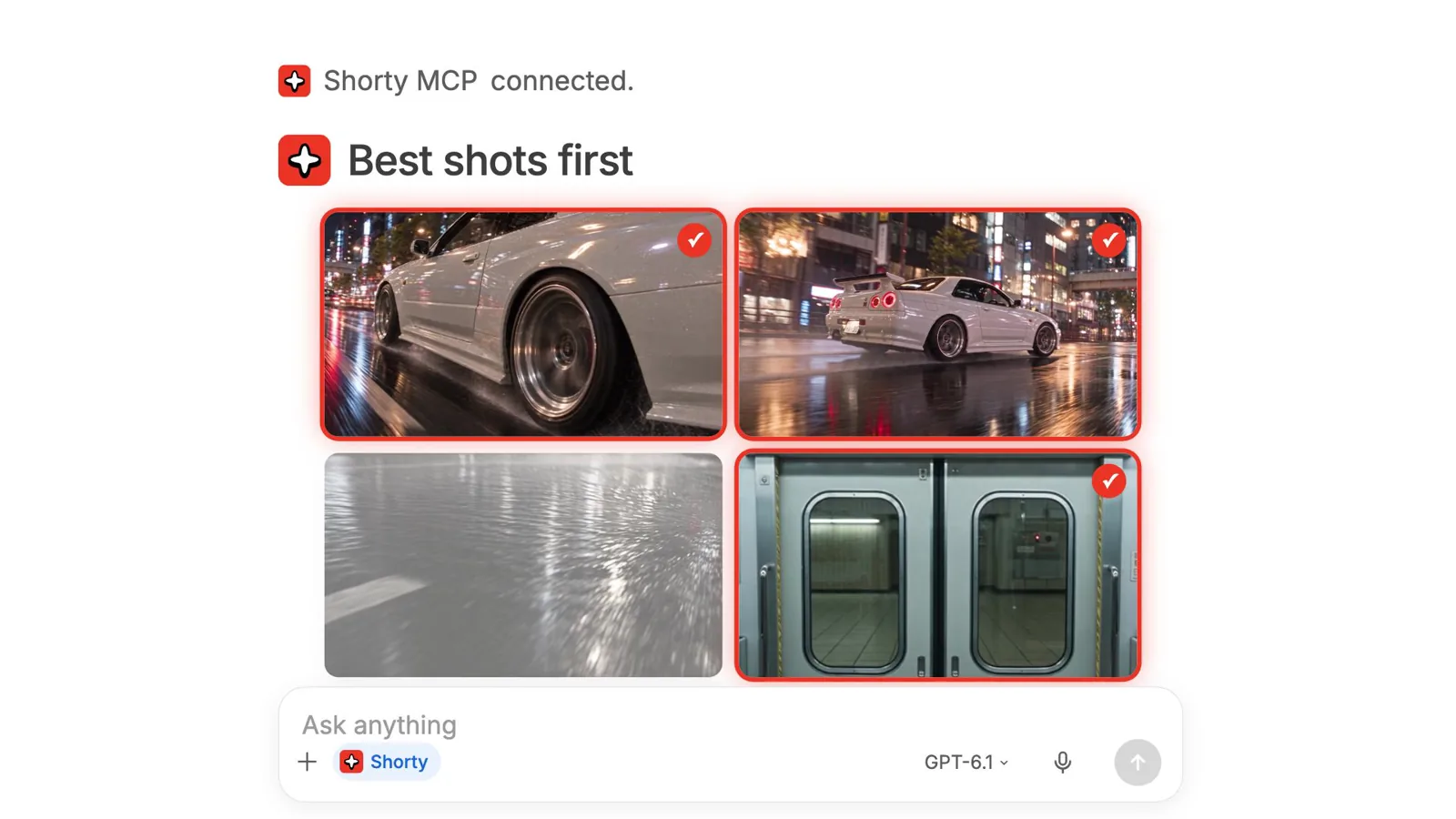
Drop your clips into ChatGPT and say what you want: “make a 15 second video from my night drive clips.” Shorty watches every clip, picks the best shots, cuts them to the beat of the music and puts the edit together. Your own computer then makes the final video. Just you and ChatGPT, no editor to learn.
That’s also why it’s cheap. The two most expensive parts of an edit, deciding what goes where and rendering the video, happen in ChatGPT and on your computer. Shorty only charges for the tools your edit actually uses.
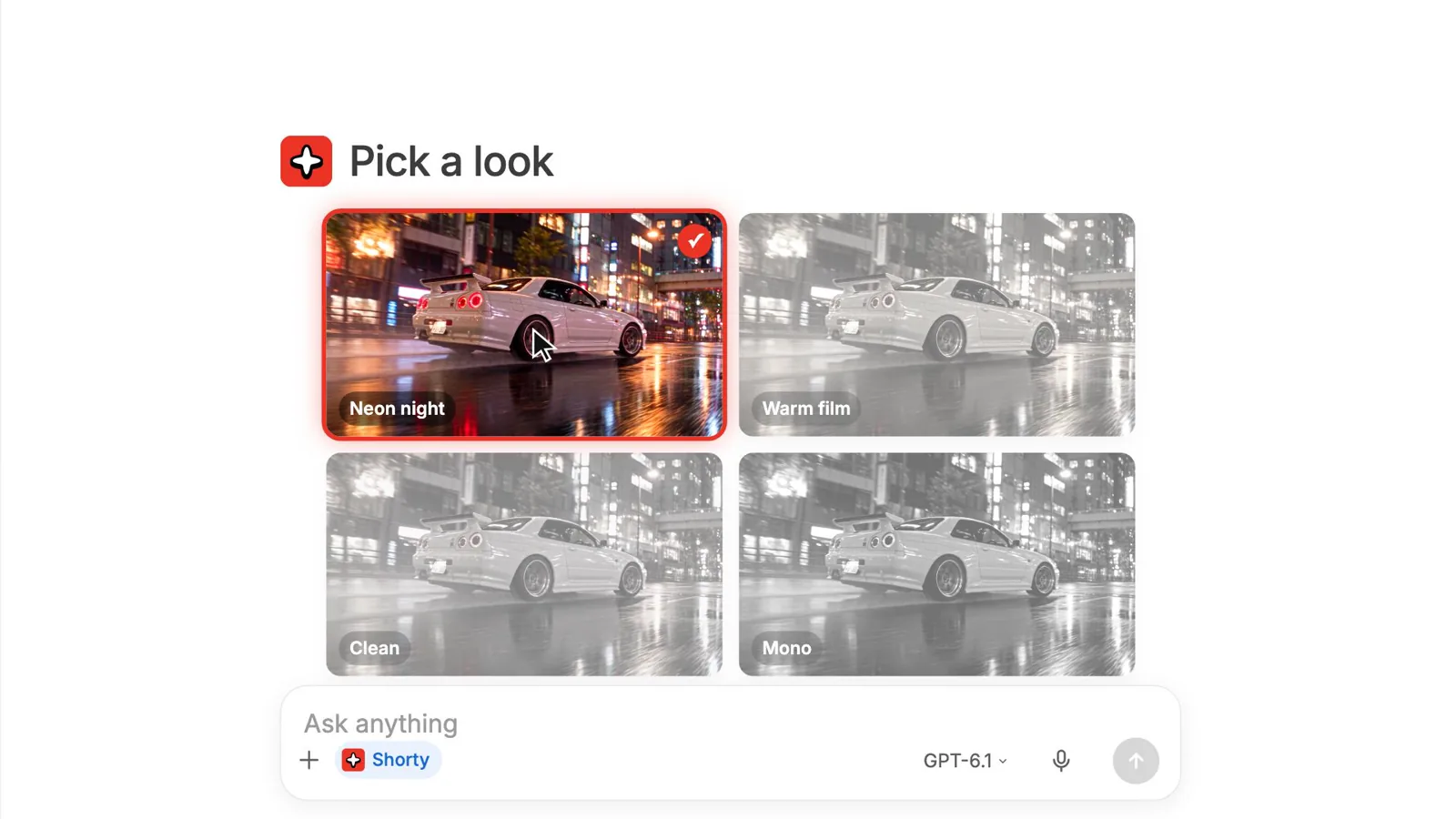
Pick a look.
Great videos usually start with “make it like this.” Shorty shows a few looks for your footage right in the chat, from neon night to clean, and you pick one. Or share a video you love, and your edit follows its pacing, titles and color.
Shorty breaks a reference down once, cut by cut, so ChatGPT can follow it with your footage.
Click it and say it.
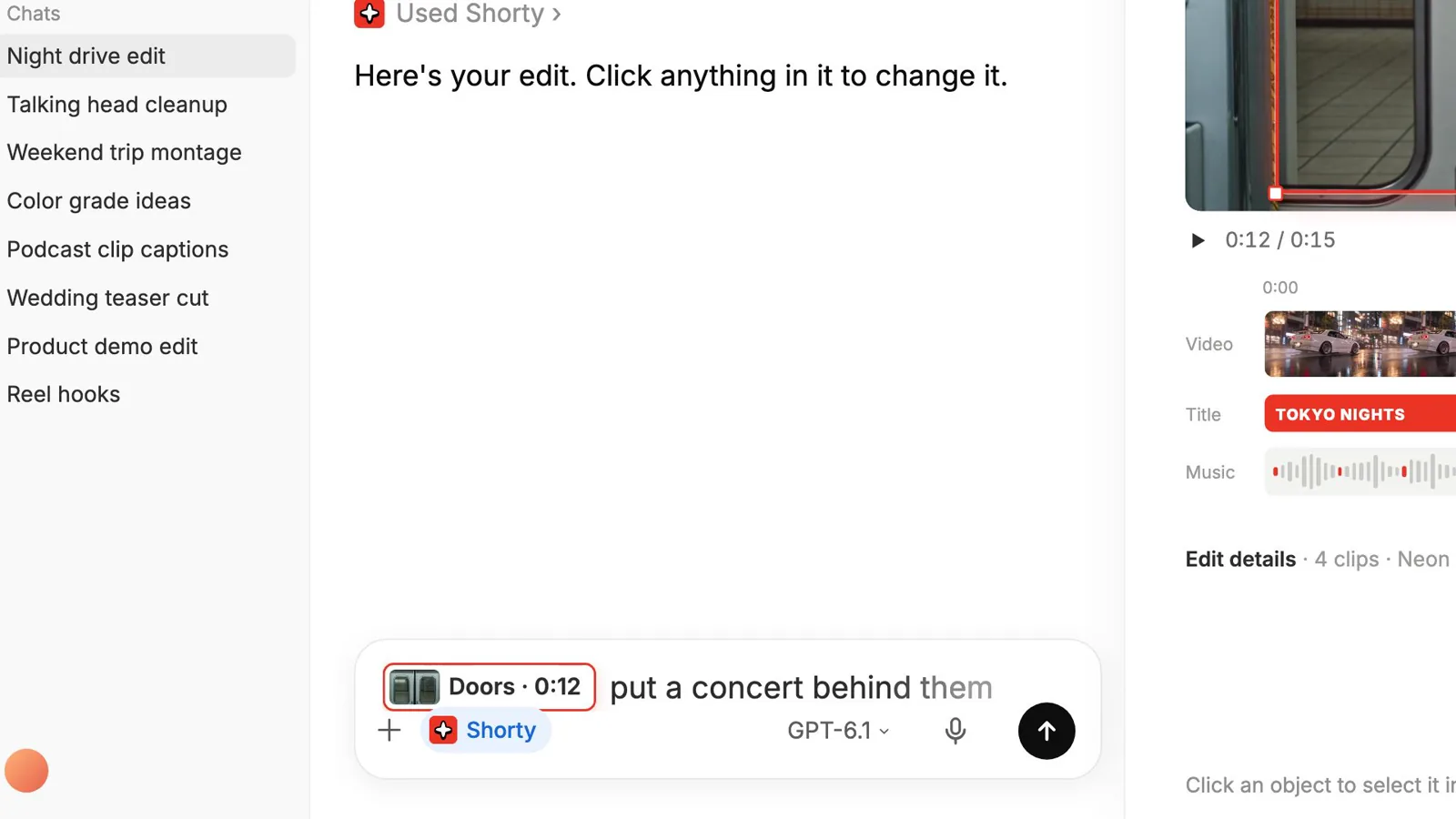
Your edit opens in a Shorty panel right next to the conversation, with the video, a timeline and an export button. No switching apps.
Want a change? Click the thing and say it. Click the train doors, type “put a concert behind them,” and a few seconds later the doors open onto a concert. Every version is saved, so you can always go back.
Things to ask for
“Make a 15 second video from my night drive clips with the Neon night look.”
“Steady the shaky wheel shot and make the colors pop, but keep skin natural.”
“Add captions for everything I say.”
“Put a concert behind these doors.”
“Cut every shot to the beat of this song.”
Every Shorty tool, at full strength.
This isn’t a lite version of Shorty. ChatGPT can use everything the Shorty web app can: captions that match every word, steadying shaky shots, color fixes, cutting out a person or a car, keeping a moving subject in frame, cutting to the beat, removing “ums” and background noise, evening out volume, slow motion and making footage sharper.
ChatGPT picks the tools your video needs on its own. You can also ask for one by name and check the result before it goes into your video.
About 50¢ an edit.
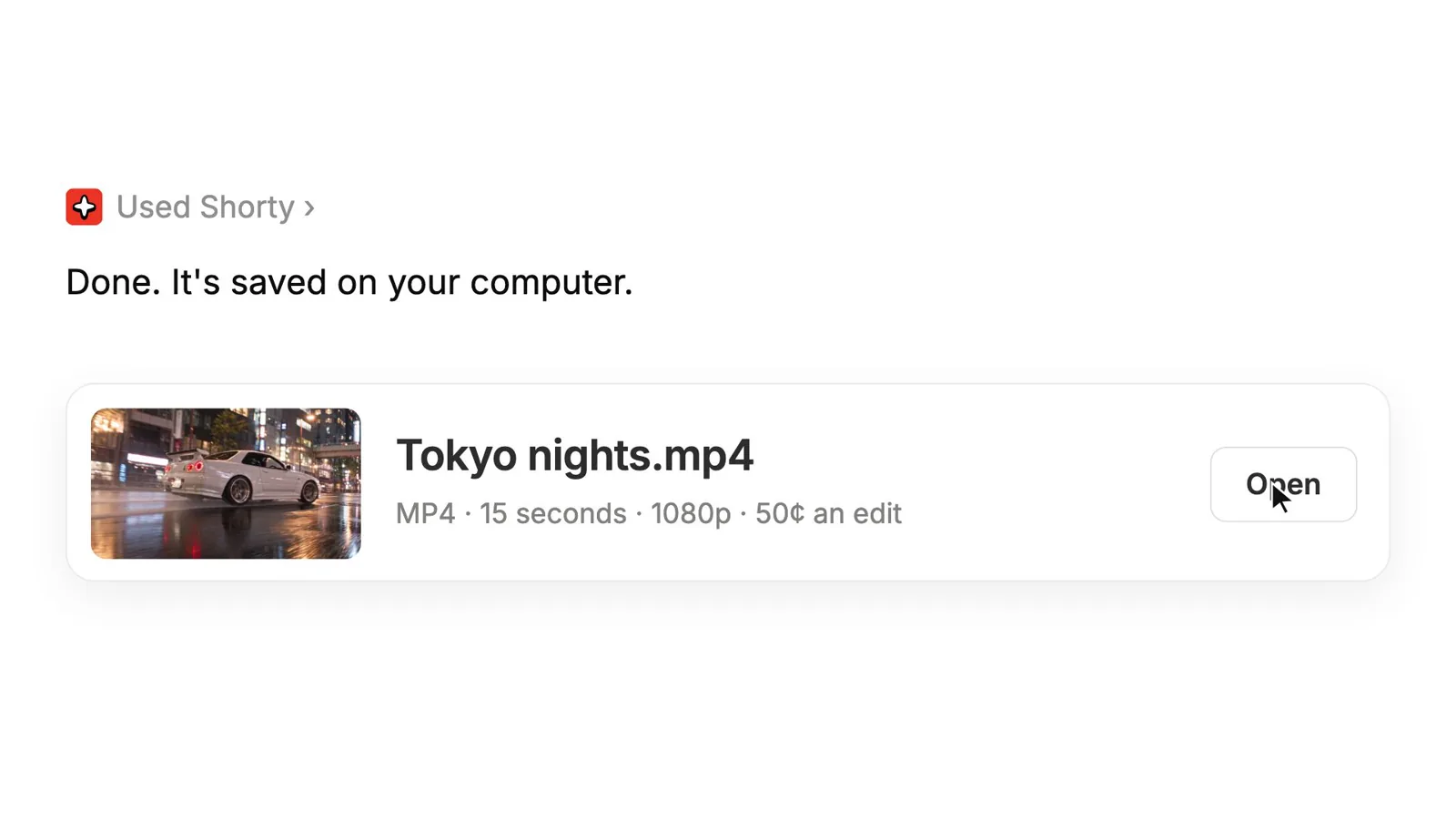
Because the directing and the rendering happen on your side, a typical edit costs about 200 credits, roughly a fifth of the same edit in the Shorty web app. That’s about 50¢ on yearly plans and under $1 on any plan.
Bigger jobs, like sharpening a whole film, cost a little more, and you see the price before they run.
Built for really big files.
Hours of 4K, a full day of drone footage, a 100 GB shoot: this is where MCP 3.0 is most useful. Your computer reads the full-resolution files and renders the final video itself, so a huge project never has to squeeze through a browser tab or wait in someone else’s render queue.
When a Shorty tool helps, it works on just the part it needs, like a few seconds of a shaky shot or the audio for captions, and the result comes back to your project. Your original files stay in your folder, and the render runs at your computer’s full speed.
What happens where
The edit stays between you and ChatGPT. ChatGPT directs it, and your computer makes the final video. Your project and your finished videos are saved in a folder you choose.
When a Shorty tool is used, for example to add captions or steady a shot, Shorty works on the part of the video that tool needs and sends the result back. ChatGPT sees what you share in the chat, as usual.
How MCP 3.0 compares
Video editing over MCP went from a few experiments to a crowded field this year. We looked at every product and notable open-source project we could find that lets ChatGPT or a similar chat app edit video, and checked each one against its own documentation, pricing page or README on October 29–30, 2026.
The hosted tools are capable, and most share a shape: the whole project lives on the vendor’s servers, renders happen there, and the edit usually opens in the vendor’s own app. The open-source bridges keep everything local, but they drive a desktop editor you already own, often a paid one, and the edit shows up in that app rather than in your conversation.
| Tool | Where footage is edited and rendered | What you need to use it over MCP | Where you see the edit | Strongest at |
|---|---|---|---|---|
| Shorty MCP 3.0 | ChatGPT directs it and your computer renders it; Shorty’s tools run on Shorty | Shorty account; about 200 credits an edit (about 50¢ on yearly plans) | A Shorty panel inside ChatGPT; click anything to change it | Editing your own footage just by chatting, with every Shorty tool and look, even for very large files |
| Vyra | Vyra’s servers | Vyra account; MCP plans from $24/mo | Vyra web or iPhone app | Agent-driven timeline editing with generated voice, music and sound effects |
| Descript | Your Descript cloud drive | Descript account; plans from $0, with edits drawing on media minutes and AI credits | Descript app | Transcript-based edits: filler removal, Studio Sound, captions |
| invideo | invideo’s workspace | invideo account; free and paid plans | invideo editor in the browser | Generation plus a full editor with Premiere, Final Cut and Resolve export |
| ChatCut | ChatCut’s cloud; its desktop app can export locally | ChatCut account; free tier, Plus from $21/mo | ChatCut app or browser timeline; its ChatGPT desktop plugin says it runs inside ChatGPT | Conversational multitrack editing with motion graphics |
| Kapwing | Kapwing’s cloud workspace | Kapwing account, free plans included; uses workspace credits | Kapwing, through project links | Subtitles, translation and dubbing |
| VideoDB | VideoDB’s servers | Free VideoDB account to start | Stream links returned to the chat | Video search, indexing and supercuts |
| Shotstack | Shotstack’s servers | Shotstack account; 10 free credits, then pay-as-you-go or plans from $39/mo | An inline Studio canvas in supporting clients (beta), or a web link | Template and JSON video rendering at scale |
| Creatomate | Creatomate’s servers | Creatomate account; 50 trial credits, then paid plans | Rendered file links | Template-driven renders |
| JSON2Video | JSON2Video’s servers | JSON2Video account; 600 free watermarked credits, plans from $49.95/mo | Rendered file links | Programmatic video from JSON |
| OpusClip | OpusClip’s cloud | OpusClip account; MCP listed on plans from $29/mo | OpusClip | Turning long videos into short clips |
| Submagic | Submagic’s service | Submagic API key; plans from $19/mo | Submagic | Captions, clips and social publishing |
| Reap | Reap’s cloud | Reap account; the free plan includes one MCP connection | Reap | Clips, captions and dubbing |
| HeyGen | HeyGen’s cloud | HeyGen account; free plan, paid plans $29–$149/mo | HeyGen | Avatar video, translation and lip-sync |
| Higgsfield | Higgsfield’s cloud | Higgsfield account; every MCP call spends credits | Higgsfield assets | Generating new shots and ads with many models |
| Runway | Runway’s cloud | Runway account and plan | Runway | Generating video |
| DaVinci Resolve Studio 21.1 | Your computer | Resolve Studio licence ($295 list) | Inside Resolve | Professional finishing, now with a built-in MCP server |
| Community Resolve MCPs | Your computer | Free (MIT); usually Resolve Studio | Inside Resolve | Scripting the full Resolve API |
| Premiere Pro and After Effects MCPs | Your computer | Free (MIT), plus an Adobe app and a plugin panel | Inside the Adobe app | Driving an existing Adobe workflow |
| Final Cut Pro MCPs | Your computer | Free (MIT), plus Final Cut Pro | Inside Final Cut Pro; one FCPXML server has an experimental in-chat timeline | FCPXML edits on a Mac |
| Concat | Your computer | Free (AGPL-3.0); install the Concat app | Concat’s own window | A free local editor with a built-in MCP server |
| OpenChatCut | Your computer; AI features call cloud APIs | Free (AGPL-3.0); API keys for AI features | OpenChatCut’s own window | A local editor with its own built-in agent |
| CapCut and JianYing draft MCPs | Draft files on your computer; some offer cloud preview and rendering | Free (Apache-2.0), plus CapCut or JianYing | Inside CapCut or JianYing | Building CapCut projects programmatically |
| FFmpeg MCP servers | Your computer | Free (MIT or Apache-2.0) | Files and JSON; no visual timeline | Fast one-off jobs: trim, convert, captions |
Sources: Vyra MCP · Vyra pricing · Descript MCP · Descript pricing · invideo MCP · ChatCut ChatGPT plugin · ChatCut pricing · Kapwing MCP · VideoDB MCP · Shotstack MCP · Shotstack pricing · Creatomate MCP · JSON2Video MCP · JSON2Video pricing · OpusClip MCP · OpusClip pricing · Submagic MCP · Submagic pricing · Reap MCP · HeyGen MCP · HeyGen pricing · Higgsfield MCP · Runway MCP · DaVinci Resolve 21.1 · davinci-resolve-mcp · Adobe Premiere Pro MCP · After Effects MCP · SpliceKit · FCPXML MCP · Concat · OpenChatCut · VectCutAPI · capcut-mate · ffmpeg-skill · Kinocut. Checked October 29–30, 2026 against each product’s own documentation, pricing page or README. Prices are in USD and change often. Products without an MCP server for editing video (for example Canva, CapCut itself and Mosaic, at the time of writing) are not listed. If something here is out of date, tell us and we’ll fix it.
What’s different, plainly
Plenty of tools on that list do one thing Shorty does. DaVinci Resolve 21.1 and the community bridges render on your machine. Shotstack can mount a canvas in the chat. Concat and OpenChatCut are free local editors. We didn’t find another tool that puts it all together: every pro Shorty tool and a library of looks, an editing panel inside the conversation where you click and say what to change, rendering on your own computer, and a price of about 50¢ an edit.
It isn’t for everything. You need ChatGPT and a Shorty account. If you want one-click clips or an editor that lives entirely in the browser, the tools above are built for that. If you want to make videos just by chatting, with Shorty’s tools doing the hard parts and your computer doing the rendering, this is what we built.
Get started
Add Shorty to ChatGPT
Get Shorty MCP 3.0 at shortyedit.com/mcp and add it to ChatGPT.
Sign in to Shorty
Sign in once so ChatGPT can use Shorty’s tools and looks. Edits use your plan’s credits.
Ask for your video
Drop in your clips, pick a look and say what you want.
Click, change, export
Click anything in the Shorty panel, say what to change, and save the finished video to your computer.
Good to know
How much does an edit cost?
About 200 credits for a typical edit: roughly 50¢ on yearly plans and under $1 on any plan. Bigger jobs cost a little more, and you see the price before they run.
What happens on my computer?
Your computer makes the final video, and your project and finished videos are saved in a folder you choose.
Can it handle really large files?
Yes, that’s one of the best reasons to use it. Your computer reads and renders the full-resolution footage, and Shorty’s tools only get the part of a file they need.
Does my footage go to Shorty?
Only the part a Shorty tool needs, when that tool is used, for example to add captions or steady a shot. The result comes back to your project. ChatGPT sees what you share in the chat, as usual.
Is it the same as the Shorty web app?
It has the same tools and looks. The difference is that ChatGPT directs the edit and your computer renders it, which is why it costs about a fifth as much.
Where do I get it?
At shortyedit.com/mcp. Add it to ChatGPT and sign in to Shorty.
Make your next video in ChatGPT.
Add Shorty MCP 3.0, drop in your clips and ask for your first cut. Your computer does the rendering.
Get Shorty MCP 3.0