
 Pricing
Discovery has always shown what Shorty can make. Starting today, it also shows what people make with it. We’re opening Shorty Community to curated authors: their finished edits sit on the Discovery wall under their names, each author has a profile you can follow, and any of their edits can be the start of yours. And your footage can come from a shared Google Drive folder again.
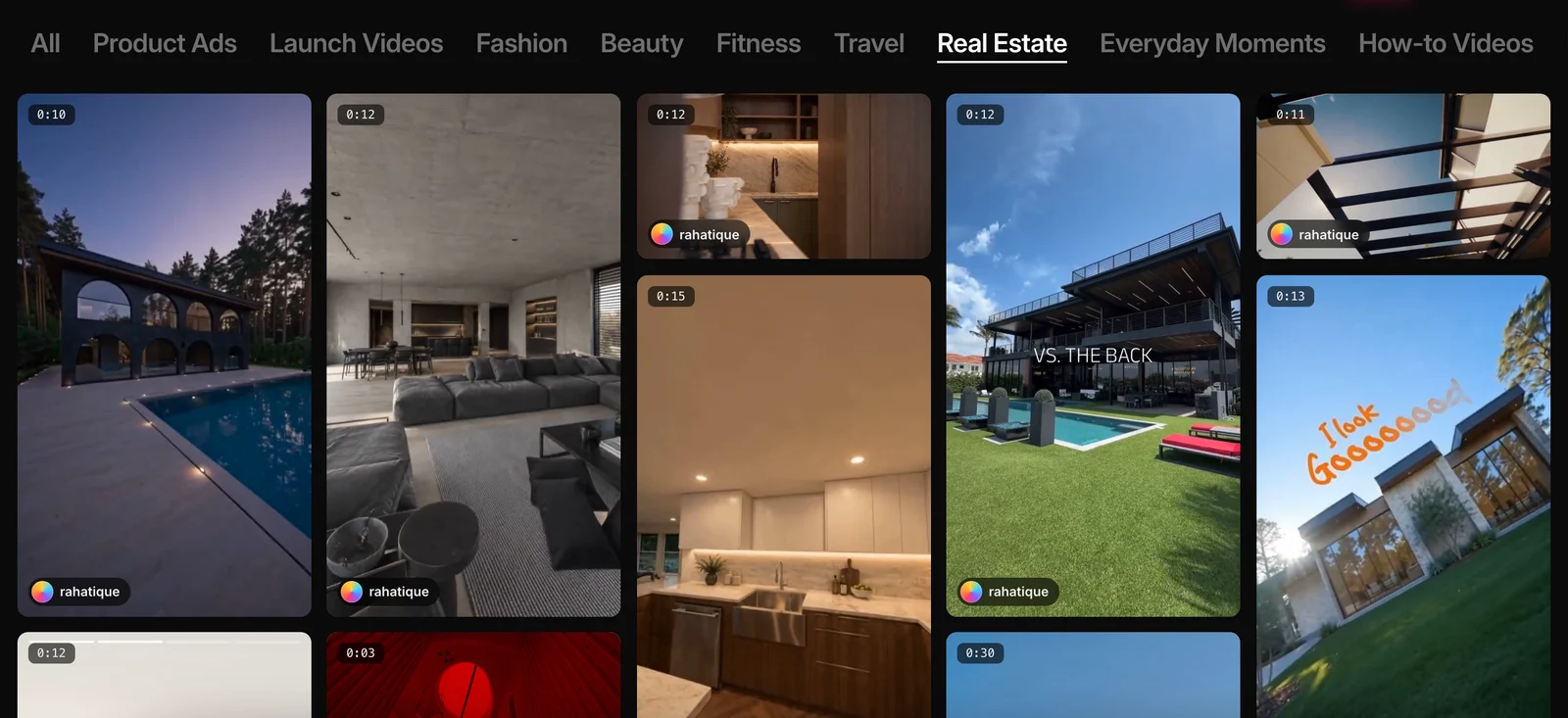
Edits by the People Who Made Them
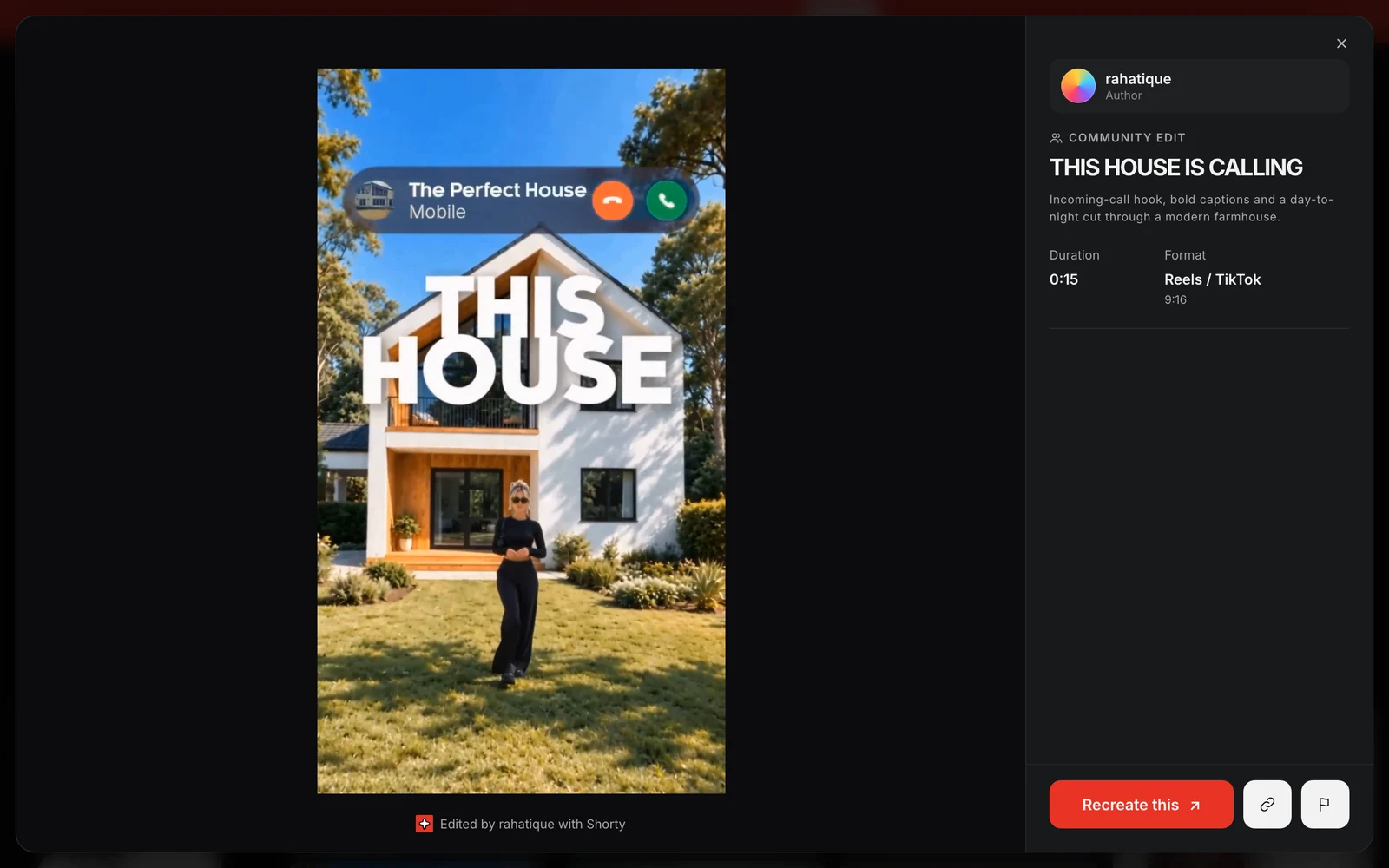
A community edit carries its author’s avatar and handle right on its card. Open one, and it’s marked Community edit, with the author above the details and a credit under the video.
For now, Shorty Community is open to curated authors. The first is @rahatique, with 14 edits: 13 property films in Real Estate and a restaurant reel in Food.
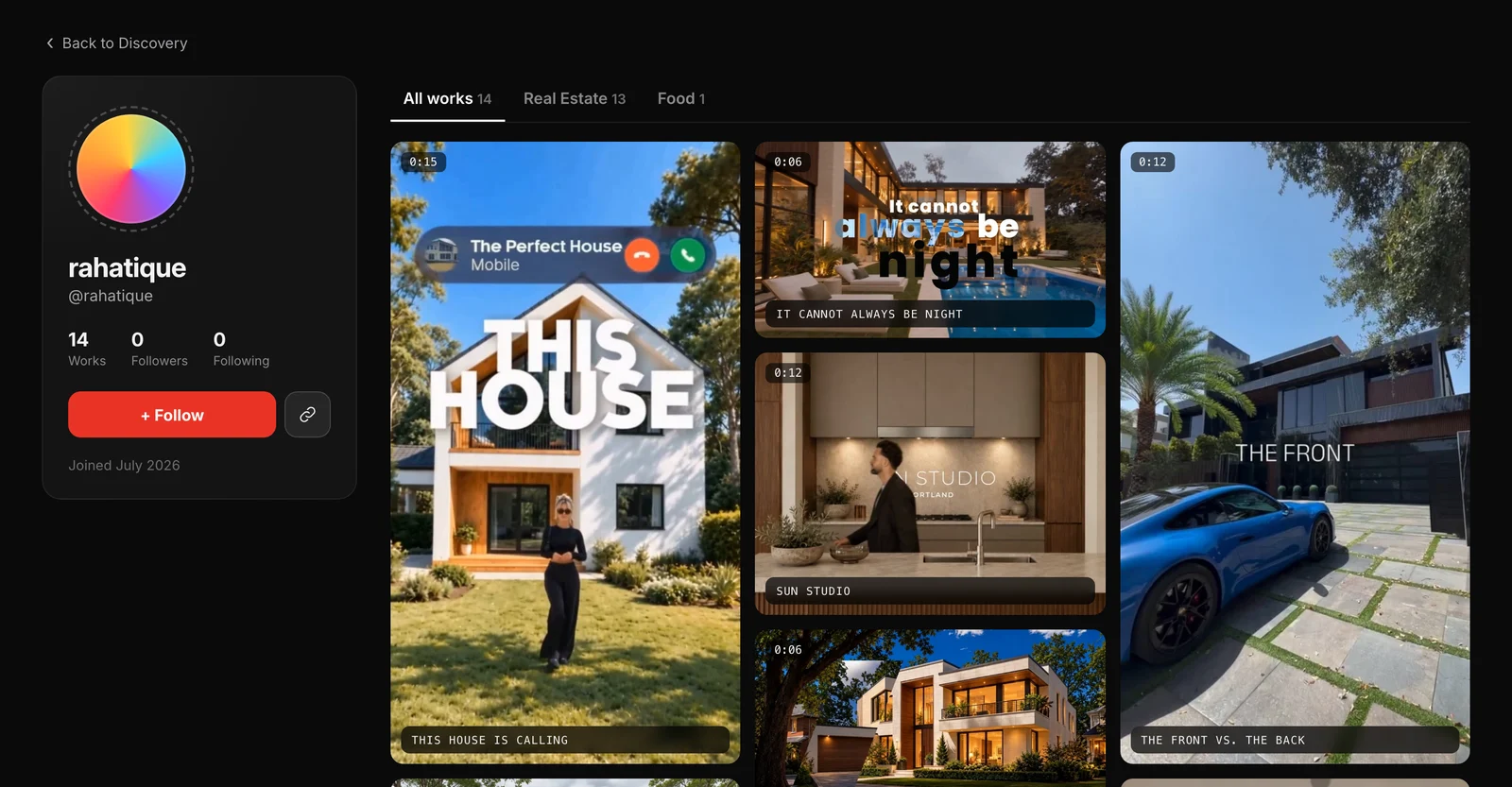
Profiles You Can Follow
Click an author’s name, on a card or in the preview, to open their profile. It shows their edits by collection, how many people follow them and when they joined.
Every profile has its own address, like shortyedit.com/@rahatique, and the link button next to Follow copies it. Follow the authors whose edits you like. If you’re signed out, Shorty asks you to sign in first and finishes the follow when you’re back.
Claim Your Handle
Every Shorty account can claim a handle now. Open your account menu, choose View profile and pick one: 3 to 24 characters, using lowercase letters, numbers, dots and underscores. It shows under your account name, and you can change it from the same place.
Publishing edits to Discovery is open to curated authors for now.
Start From Any Edit
Found an edit you want for your own footage? Click Recreate this. Shorty takes that edit as your reference and matches your format, length and captions to it. Add your clips, say what should be different, and click Edit.
See something that doesn’t belong on Discovery? The flag button next to Recreate this reports it to us.
Google Drive Folders Are Back
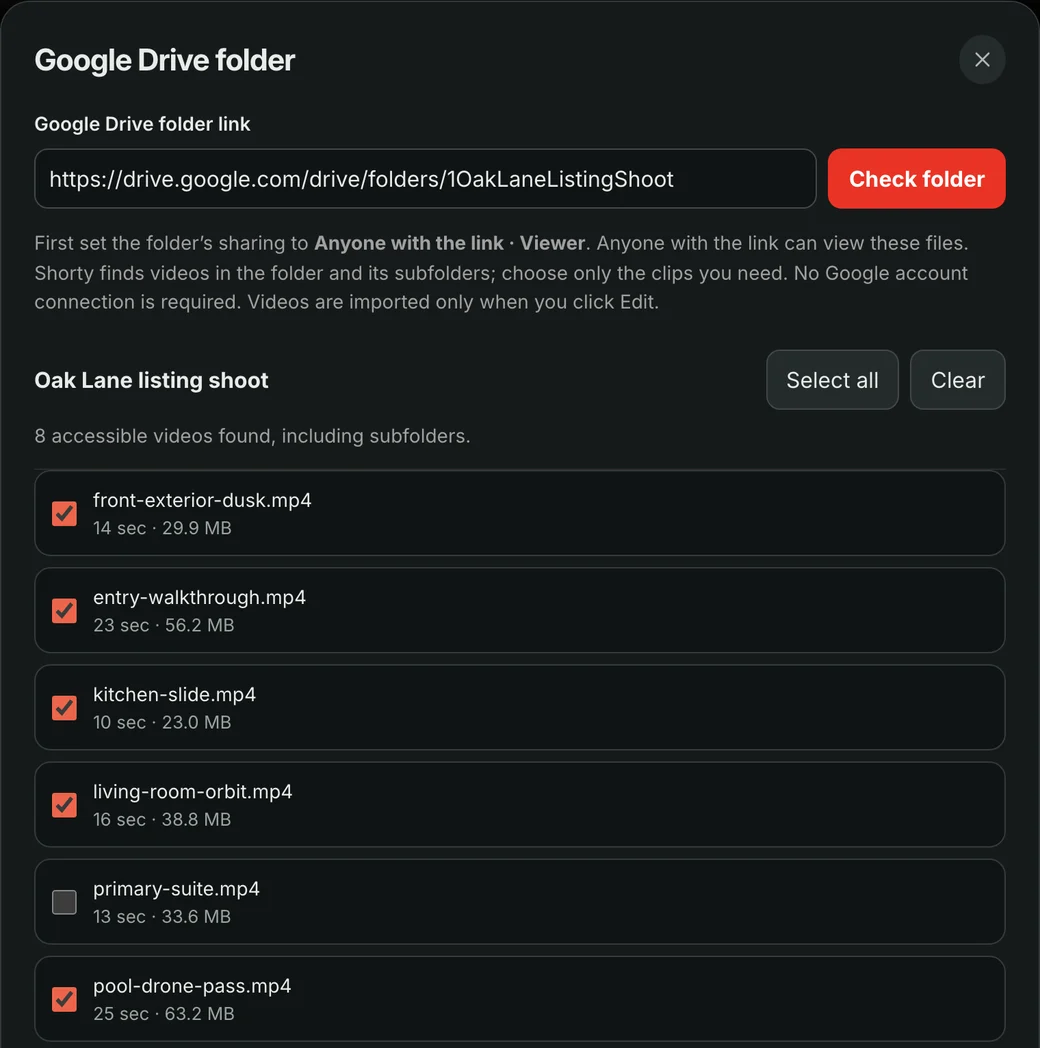
Your footage can come from Google Drive again. Open your footage, choose Google Drive folder and paste a link to a folder shared as Anyone with the link · Viewer. Shorty finds the videos in it, subfolders included, and you tick the ones you want. There’s no Google account to connect.
Nothing is transferred until you click Edit. Then Shorty brings your clips in from Drive, three at a time, as the first step of your edit. If one takes too long, click Edit again: the clips that already arrived are kept. Your picks are saved with your draft, too.
Keep the folder shared until your edit is ready, because Shorty prepares its copies from the originals. Connecting your own Google Drive, without sharing a folder, is still waiting on Google’s review.
Good to know
Who can publish to Discovery?
For now, curated authors. Everyone can browse their edits, follow them, share their edits and recreate them with their own footage.
What’s public on my profile?
Your handle, the edits you’ve published to Discovery, your follower and following counts and the month you joined. Your email and the rest of your edits stay private.
Do I need an account to follow someone?
Yes. If you’re signed out, Shorty asks you to sign in and then completes the follow.
Does importing from Google Drive cost credits?
No. Bringing clips in is free. Your edit uses credits as usual, and the folder picker shows an estimate before you add the clips.
How much can I bring in from a folder?
Up to 64 videos per import, up to 1 GB each and 8 GB in total.
Why does the folder have to be shared?
Shorty reads it through the link, without access to your Google account. Anyone with the link can view the files, so share a folder with just the clips you need.
Make something worth recreating.
The Shorty Team
Start from an edit you love.
Open Discovery, pick a community edit and click Recreate this. Your footage can come from your device or a shared Google Drive folder.
Open Discovery